Free Chrome extension. Full rescue operation.
You lost your place.We sent a helicopter.
Call off the search party.
Search Console rows become real links. Open a background tab. Keep your original report where you left it.
Add to Chrome - freeNo data collected. Nothing sent anywhere.

Sound familiar?
The work becomes finding the work.
-
The vanished thought.
That row looked interesting. You went Back. Your train of thought has not been seen since.
-
The Friday audit loop.
One more row. Click. Back. Find your place. Repeat. Friday has filed a complaint.
-
The muscle-memory betrayal.
Cmd-click. Ctrl-click. Your hand expects a tab. The table has other plans.
-
The scroll-position scavenger hunt.
Go Back. Scroll. Squint. Your actual question is now a missing persons case.
An entirely unnecessary expedition
You opened a query.
Pack a tent.
Or Cmd-click the row. A background tab requires considerably less equipment.

How it works
One tab.
Full rescue operation.
-
It becomes a real link.
Right-click a Search Console row. Choose Open link in new tab. Your original report stays put.
-
Your fingers know this.
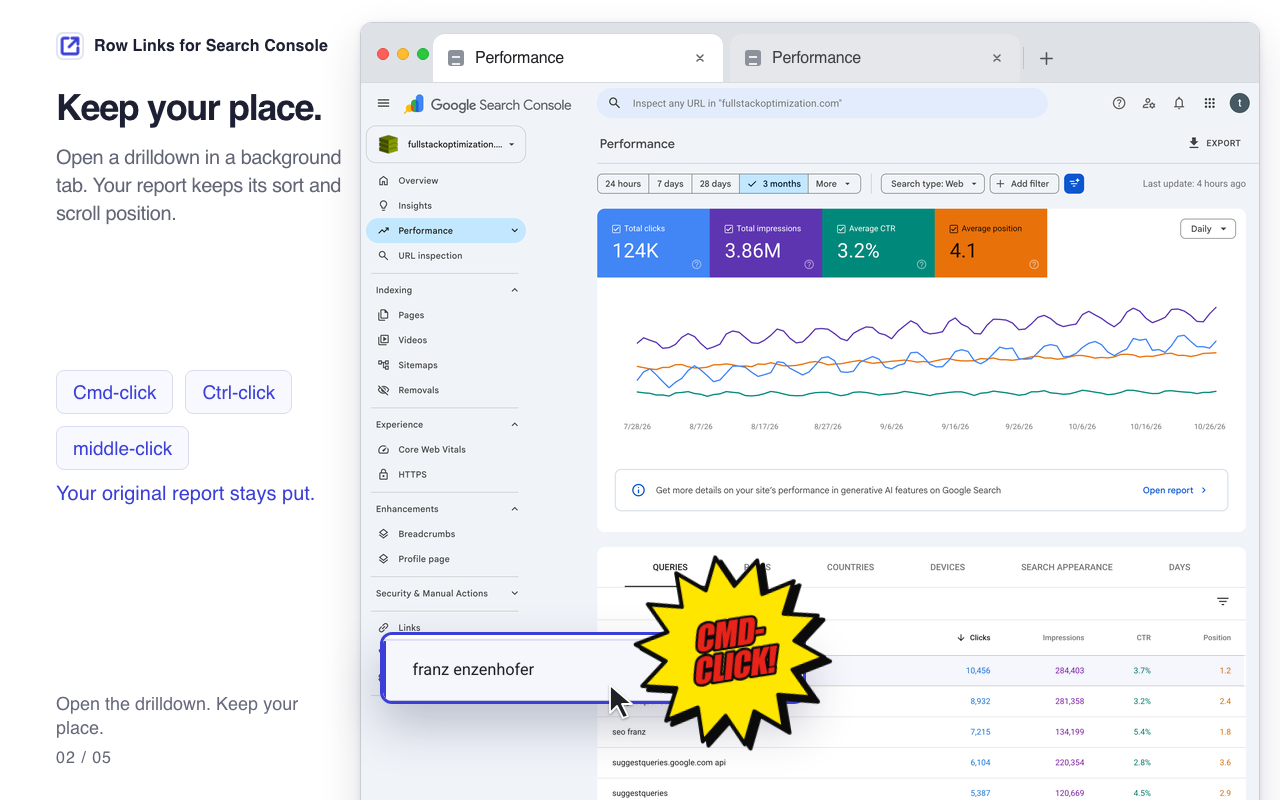
Cmd-click, Ctrl-click or middle-click opens a background tab. A plain click still filters in place.
-
Send the view. Skip the quest.
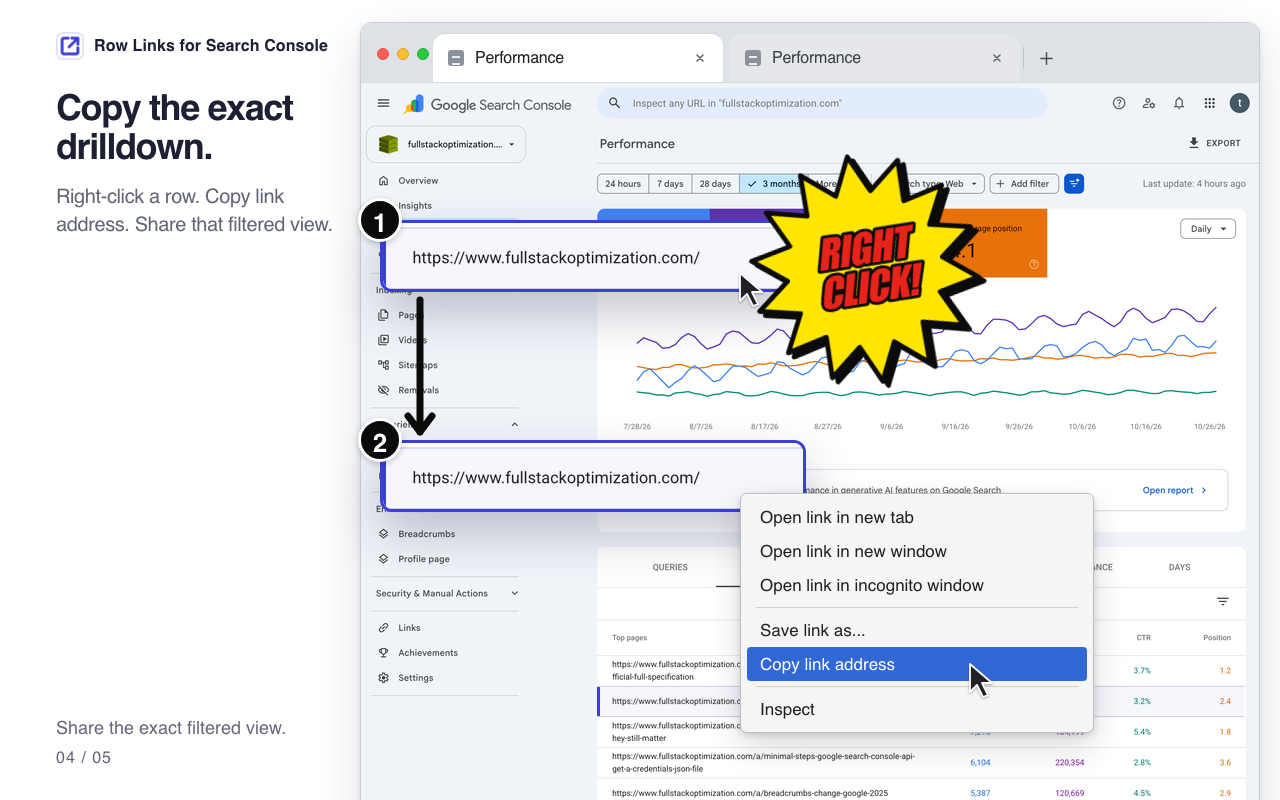
Choose Copy link address to share the exact drilldown. Your colleague still needs their usual property access.
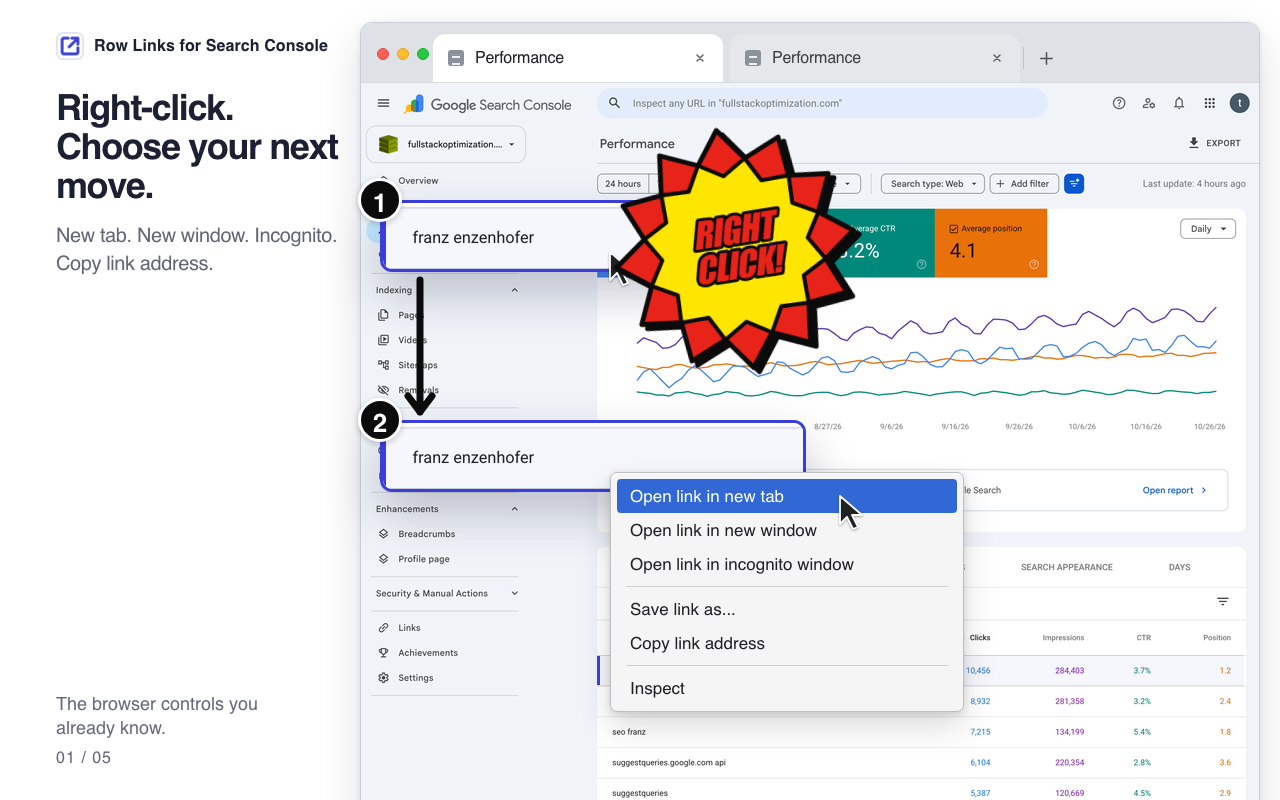
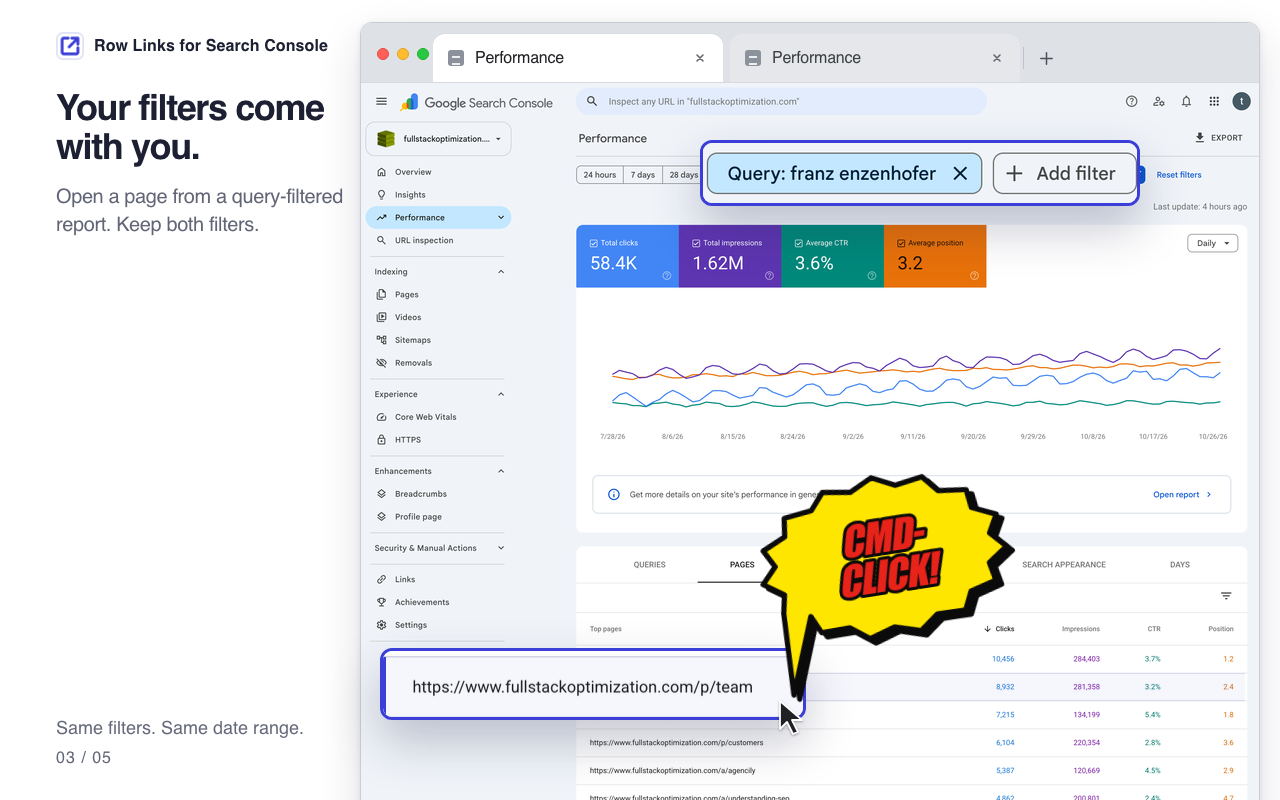
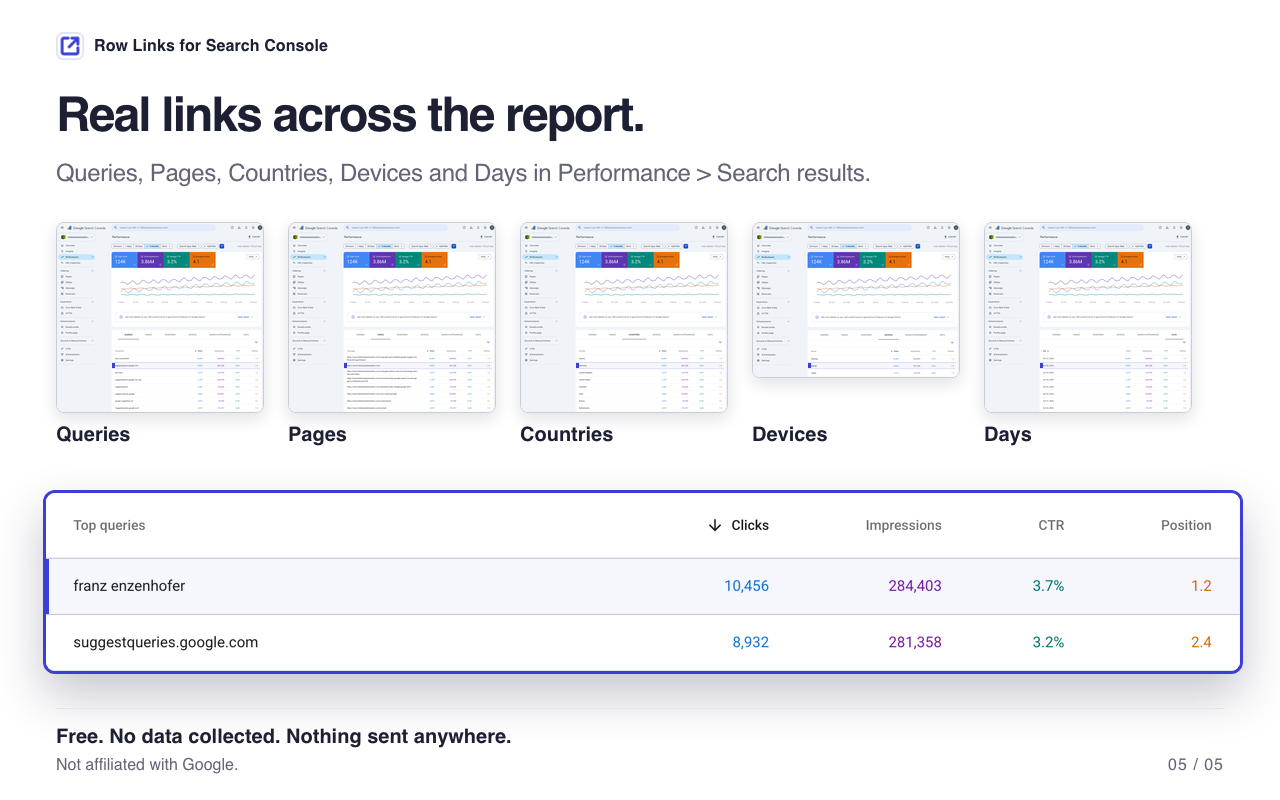
The small fix, in five screenshots.
Scroll through. Open any image full size.
The situation has escalated
Man overboard.
He clicked a row.
Rows become real links. Open a new tab. No lifeboat required.

Privacy
Nothing sent anywhere.
Zero expedition
into your data.
Row Links collects no data. Nothing is sent anywhere by the extension. No account required.
The rescue operation is strictly for your place in the table.
- Nothing sent anywhere
- No data collected
- Nothing sent
- No account
A few details
FAQ.
No flare required.
Which reports does it work on?
Performance > Search results, across the Queries, Pages, Countries, Devices and Days tabs.
What happens when I click a row normally?
The report filters in place, exactly as before. Use Cmd-click, Ctrl-click, middle-click or the right-click link menu to open a separate tab.
Do my existing filters carry over?
Yes. The link uses the exact URL Search Console would open, including existing filters, the date range and language. A page opened from a query-filtered report keeps both filters.
Can I copy a link to a specific drilldown?
Yes. Right-click the row and choose Copy link address. The copied URL points to that exact filtered view. Sharing it does not grant access to the property.
What does it cost, and what does it collect?
It is free. The extension collects no data and sends nothing anywhere. It has no settings and requires no extension account.
They can all go home now
Call off the
search party.
Open a tab.
Add to Chrome - free
Free. No data collected. Nothing sent anywhere.